
Super Bear Adventure Beta Parents' Guide: Safety, Ads, and Screen Time

A parents' guide to Super Bear Adventure Beta covering age fit, content, ads and in-app purchases, privacy basics, healthy screen time habits, and playing together as a family.

Earthkwak Games

Super Bear Adventure Beta Parents' Guide: Safety, Ads, and Screen Time

If your child has asked for the bear game, this guide is for you. Super Bear Adventure is a colourful 3D platformer about a bear rescuing his friends, and it is one of the easiest recommendations in mobile gaming for families, provided parents understand its ads, purchases, and online features the way they would for any app on a child's device.

Below is a plain-language tour: what the game contains, where money can appear, how multiplayer fits in, and the habits that make it a healthy part of a child's gaming life. No scaremongering, no sales pitch, just the facts a parent actually needs.

For the main app page, visit Super Bear Adventure Beta APK download.

What the Game Is and Its Age Fit

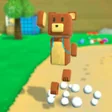
Your child plays as Baaren, a friendly bear exploring a cartoon kingdom, jumping across platforms, collecting coins, playing mini-games, and rescuing bear friends from cages. Enemies are animals affected by 'purple honey', the combat is gentle cartoon bumping rather than anything graphic, and the tone throughout is kind, silly, and encouraging.

It suits younger players who can handle basic 3D movement and older children who enjoy collecting and completion goals. Very young children may need an adult thumb for precise jumps, which is less a warning than an invitation: the game's best family mode is two people, one controller, taking turns.

Content at a glance:

  • Cartoon platforming and exploration
  • Mild, non-graphic cartoon combat
  • No horror, no realistic violence
  • Friendly story about rescuing friends
  • Reading level: light dialogue, adult help fine
  • Multiplayer features exist (see below)

Ads and In-App Purchases

The official game is free with advertising and optional in-app purchases, which is where parental attention belongs. Set up purchase approval on the Google Play account before the first session, so every buy requires your password or fingerprint, and explain to your child that offers inside any game are shops, not gifts.

Ads in children's sessions are a fact of free games; the practical mitigations are playing offline where the game allows it, which removes most ad calls entirely, and supervising early sessions so you see exactly what appears. The offline guide explains how much of the game works with no connection, which doubles as an ad-reduction plan.

Multiplayer and Online Features

The 'beta' in the game's search name usually refers to its multiplayer update. Multiplayer means playing with others online, and parents should decide consciously whether that is switched on for their child, rather than discovering it later. The core story adventure is complete without it, so younger children lose nothing by staying offline.

For older children using multiplayer, the standard family rules apply: play in shared spaces, keep friend lists to people known in real life where the game allows choice, and keep the conversation about online play open rather than forbidden and therefore hidden.

Screen Time Habits That Work With This Game

This game structures time unusually well for a mobile title. Regions, rescues, and daily challenges create natural stopping points, so agree the unit in advance: one region, three rescues, or the daily challenge, rather than a raw number of minutes that always expires mid-jump and guarantees an argument.

Co-playing beats policing. A parent who has personally rescued a bear understands the 'just one more minute' plea from the inside, and children share their gaming world more openly with adults who have been in it. Fifteen shared minutes do more for oversight than any monitoring app.

Healthy habit starters:

  • Agree stopping points in game units
  • Co-play the first sessions
  • Keep devices out of bedrooms overnight
  • Alternate game days with other activities
  • Praise rescues and persistence, not just winning

Privacy and Download Safety

Install only the official game from Google Play, and teach your child the one rule that prevents most mobile gaming trouble: never download game files from websites, video descriptions, or messages promising free coins or unlocked everything. Those modified files are where malware and account theft actually live, and in this game's community they are the main real-world risk.

Check the app's permissions and Play Store data safety section when installing, keep the child's device updated, and use Android's family controls where your household wants them. None of this is specific to one bear game; it is the standard hygiene that makes the whole device safer.

Talking to Kids About In-Game Spending

Children understand shops in games better when adults name them plainly: the game is free like a park is free, and some people sell ice cream in the park. Agree the household rule before the first tempting offer appears, whether that is 'never', 'ask first', or a small monthly allowance, and the offers lose their drama entirely.

Praise the refusal moments you witness. A child who closes a purchase screen unprompted has exercised real digital judgement, and noticing it aloud builds more protection than any parental control setting.

Household spending rules that work:

  • One clear rule agreed in advance
  • Purchase approval lock switched on
  • Offers named as shops, not gifts
  • Good refusals praised when seen

Difficulty, Frustration, and Resilience

The game will occasionally frustrate your child, and that is part of its value. Its challenges are fair, its failures are cheap, and its progress is saveable, which makes it a safe gymnasium for the skill of trying again. Resist rescuing your child from every hard jump; coach the attempt instead, and let the victory be theirs.

Watch for the difference between productive struggle and genuine misery. The first deserves encouragement and time; the second deserves a break, a snack, and a parent's calm suggestion to try a different region, which is incidentally exactly the strategy adult players use.

What Other Parents Ask Us

Can siblings share one game? Comfortably, taking turns by region or rescue, though completion counters will blend their achievements into one kingdom. Is there chat with strangers? The core game is a solo adventure; multiplayer is a separate, online, parent-decided feature. Will it teach my child anything? Patience, spatial thinking, and a gentle story about helping friends, which is more than most apps on the device can claim.

And the most common question of all: will I enjoy watching? Almost certainly. It is one of the rare children's games whose charm survives adult eyes, which is how so many parents end up with a rescue count of their own.

Conclusion

Super Bear Adventure Beta earns its place in family gaming honestly: a kind story, gentle action, and an adventure that respects a child's intelligence. The parent's real work is around the game, purchase approvals on, official downloads only, and stopping points agreed in the game's own units.

Do that light setup once, then enjoy the unusual pleasure of a mobile game you can watch without wincing. Better still, take a turn. The bear you rescue yourself will change how every future gaming conversation in your house goes.

Download APK
Nathan Brooks

Reviewed by

Nathan Brooks

3D Platformer Games Reviewer

Nathan plays and tests Super Bear Adventure on real Android phones, checking frame pacing, controls and multiplayer before any version is listed here.

More about Nathan Brooks