Super Bear Adventure Beta Controls Guide: Movement, Camera, and Combat

Master Super Bear Adventure Beta controls on Android with this guide to movement, jumping, camera control, attacks, swimming, vehicles, and touch settings that make Baaren easier to handle.

Earthkwak Games

Super Bear Adventure Beta Controls Guide: Movement, Camera, and Combat

Good platforming is invisible: when controls feel right, you think about the adventure instead of your thumbs. Super Bear Adventure Beta uses a simple touch layout on Android, but simple does not mean shallow. Jump timing, camera habits, and a few settings choices separate players who glide through regions from players who fight every ledge.

This controls guide breaks down each input Baaren uses, explains when to use it, and finishes with the mistakes that cause most missed jumps and lost fights. None of it requires special hardware; it is about using the standard layout deliberately.

For the main app page, visit Super Bear Adventure Beta official site.

Basic Movement and Jumping

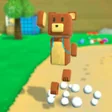
Baaren runs where the virtual stick points, and speed builds with distance, which matters because jump distance follows run-up speed. A jump from standing still is short and safe for small gaps, while a jump at full run crosses the wide gaps the later regions love. Learning the difference by feel is the core skill of the whole game.

Height works the same way. Tap timing and holding inputs change how floaty a jump feels, so practise on the hub's safe platforms until short hops and full jumps both feel deliberate. Most platforming deaths in this game are not hard jumps; they are the wrong type of jump chosen in a hurry.

Core movement inputs:

  • Virtual stick to run and steer
  • Short hop for small gaps
  • Running jump for wide gaps
  • Edge jumps for maximum distance
  • Gentle stick pressure for narrow ledges

Camera Control: Your Quiet Superpower

The camera decides what you can plan. Swiping to rotate the view before a jump sequence lets you see landing spots, enemies, and coin trails in one look, and that single habit removes most surprise falls. Get into the rhythm of stopping briefly, scanning, and then moving.

Looking down is underused. Many platforms, secrets, and safe drop points sit below the obvious path, and a downward glance before dropping turns a blind fall into a planned route. In tight spaces, small camera movements beat big swings, which can swing the view into walls and hide Baaren at the worst moment.

Combat: Simple Attacks, Smart Positioning

Baaren's attacks are short-range and honest: you need to be close, facing the enemy, and finished before it recovers. The safest pattern is to approach, strike, and step back rather than standing in place trading hits. Purple-honey enemies telegraph their movement, so a half-second of watching beats button mashing.

Positioning matters more than speed. Fight on flat ground where you can retreat, lure single enemies away from groups, and never start a fight at a ledge edge where one knockback ends the attempt. Players struggling with a particular enemy type will find patterns and counters in the Super Bear Adventure Beta Enemies Guide.

Combat habits that work:

  • Watch the enemy's pattern first
  • Strike once or twice, then reposition
  • Fight away from ledges
  • Separate groups into single fights
  • Retreat and heal instead of forcing a win

Swimming, Vehicles, and Special Movement

Water changes the rules: movement slows, jumping becomes buoyancy, and the camera needs more care. Treat swimming sections as their own mini-game, move steadily, and surface with a plan rather than diving at every glint below. Collectibles underwater are usually placed along one clear route.

Vehicles trade fine control for speed and reach. They shine on open ground and in their own challenge areas, but they are clumsy on narrow paths, so do not force them everywhere they fit. Dismounting for a precise section and returning for the vehicle is normal, intended play.

Touch Settings and Comfort Adjustments

Before blaming a hard section on skill, check the controls themselves. Button size and placement, camera sensitivity, and inversion settings change how the game feels more than most players realise. Raise camera sensitivity slightly if scanning feels sluggish, or lower it if the view swings too far on small swipes.

Play seated with the device supported when attempting precision sections; tired arms make shaky thumbs. A clean screen also matters more than it sounds, because touch platformers punish the slight smear that delays a jump input by a fraction of a second.

Reading the Screen: HUD Basics for New Players

The on-screen display stays minimal, which is a kindness: health, collected items, and prompts appear where your eyes already are. Learn where your health sits and glance at it after every fight rather than during, because mid-fight glances cost the attention the fight is charging you.

Prompts deserve a full read the first time they appear. The game teaches several mechanics exactly once, in text, and players who tap through prompts quickly are the ones searching the internet for answers the game already gave them.

Two Thumbs: Dividing the Work

Touch platforming works when each thumb owns a job: movement on one side, actions and camera awareness shared on the other. Beginners often let one thumb wander across the whole screen, which works until a section demands a jump and a camera move in the same second.

Practise the division deliberately in safe areas: run a circle while rotating the camera smoothly, then jump a small circuit without stopping. Five minutes of this drill in the hub pays off in every region, because the late game assumes exactly this two-thumb independence.

Two-thumb drills:

  • Circle-strafe with camera rotating
  • Jump circuit without stopping
  • Camera scan, then move, in rhythm
  • Fight a weak enemy while repositioning camera

Accessibility and Comfort Options

Long sessions reward small comforts: a supported device instead of raised arms, brightness matched to the room so your eyes last, and breaks at region boundaries where the game naturally breathes. None of these are settings in a menu, yet all of them change how well you play hour two compared with hour one.

If the game offers control or sensitivity options on your version, revisit them after any phone change. A bigger or smaller screen quietly changes every thumb distance you memorised, and a week of 'the game feels off' is usually a settings refresh waiting to happen.

Conclusion

Controls mastery in Super Bear Adventure Beta comes from three quiet habits: choosing the right jump for the gap, scanning with the camera before moving, and fighting with positioning instead of panic. Build those habits in the safe early regions and the whole kingdom becomes calmer.

Revisit your settings once after the first regions, too. The sensitivity and layout that felt fine while learning often feel slow once your thumbs speed up, and a two-minute adjustment at that point pays off across every region, vehicle run, and boss fight still ahead.

Download APK
Nathan Brooks

Reviewed by

Nathan Brooks

3D Platformer Games Reviewer

Nathan plays and tests Super Bear Adventure on real Android phones, checking frame pacing, controls and multiplayer before any version is listed here.

More about Nathan Brooks